
Skip to content
Prediction Guard is now available on the Azure Marketplace — Control & Govern AI from your VPC.
 Product — Deploy

Deploy Sovereign AI Where Your Data Lives.

Provision production-ready AI systems across your private cloud, VPC, or on-premises hardware. Scale infrastructure with total data residency and zero external leakage.

Private
VPC & On-Prem
Hybrid
Cloud Orchestration
1-Click
System Provisioning


Logo DimensionalPrediction Guard
Systems
Manage
Security
Analyze
Monitor
Govern
Audit
Settings
Users
Organizations
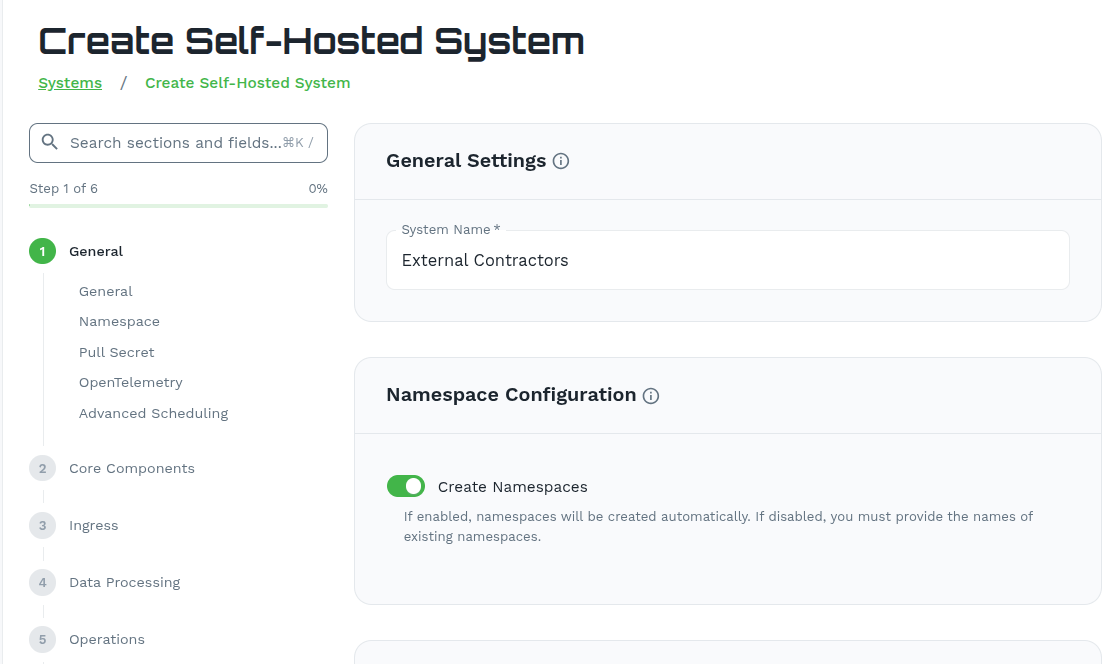
Create Self-Hosted System
Systems/Create
Search sections...
Step 1 of 6 0%
 
1
General
General Namespace
2
Core Components
 
3
Ingress
 
4
Data Processing
 
5
Operations
 
6
Review
General Settings
System Name *
pg-system-v3
Namespace Configuration
 
Create Namespaces
If enabled, namespaces will be created automatically. If disabled, you must provide the names of existing namespaces.
Pull Secret Configuration
 
Enable Pull Secret
 
Use Default PG Credentials
Getting Started

Choose How You Want to Deploy

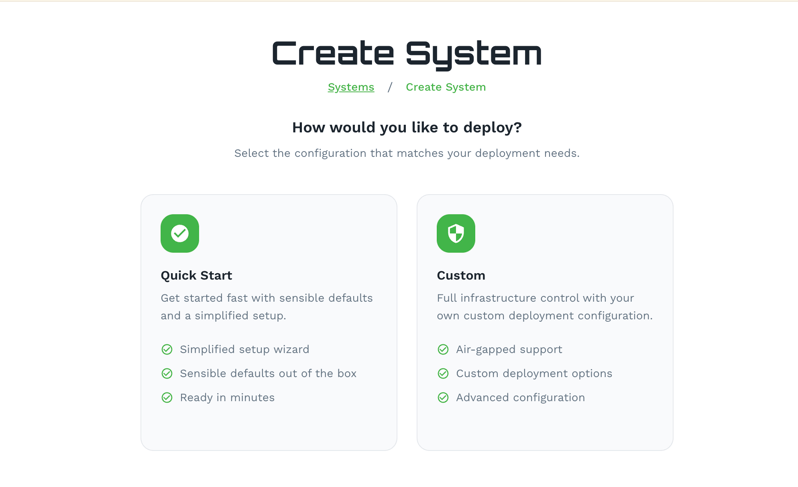
From the Admin Console, click Create System and select the mode that fits your deployment needs.


admin.predictionguard.com/systems/create
Logo DimensionalPrediction Guard
Systems
Manage
Security
Analyze
Monitor
Govern
Audit
Settings
Users
Organizations
 
Create System
Systems / Create System
How would you like to deploy?
Select the configuration that matches your deployment needs.
 
Quick Start
Get started fast with sensible defaults and a simplified setup.
 Simplified setup wizard
 Sensible defaults out of the box
 Ready in minutes
 
Custom
Full infrastructure control with your own custom deployment configuration.
 Air-gapped support
 Custom deployment options
 Advanced configuration
System Setup

Two Modes. One Command. Any Infrastructure.

Choose Quick Start for simplified provisioning with sensible defaults, or Custom for full infrastructure control — including air-gapped and advanced configurations.

Mode Best For Details
Quick Start Standard deployments Simplified setup with sensible defaults — the fastest path to a running AI system.
Custom Air-gapped & advanced Full infrastructure control for restricted environments or bespoke deployment configs.
  • Simplified Setup Wizard — Provision production AI environments in clicks, not days.
  • Multi-Tenant Environments — Segment deployments by department, project, or data sensitivity.
  • Air-Gapped Ready — Deploy to the most restrictive environments using the Custom path.
  • Infrastructure Agnostic — Consistent workflow across any cloud provider or bare metal.


admin.predictionguard.com/systems/create
Create Custom AI System
Step-by-step setup for advanced configurations
1
Click "Create System"
From the main dashboard, select Create System in the top right.
2
Select "Custom" mode
Choose Custom for full configuration control.
3
Choose network type
Select Air-Gapped for isolated environments or Normal for standard deployment.
Normal
Standard deployment with external network access
✓ Selected
Air-Gapped
Isolated environment, no external network access
Deployment Targets

Deploy Anywhere Your Security Policy Requires

Once a system is created, click Deploy to get a scoped installation command. Follow the guide for your target environment — from major clouds to fully air-gapped on-premises.

 
GCP
Google Cloud Platform
 
Azure
Microsoft Azure
 
AWS
Amazon Web Services
 
Kubernetes
On-premises cluster
 
Zero Dependency Binary
Standalone binary deploy
 
Air-Gapped
Fully isolated environment
Deployment Specs

Engineered for Sovereignty

 
Hybrid Cloud Support
Seamlessly orchestrate deployments across AWS, Azure, GCP, and private data centers from one console.
 
Air-Gapped Compatibility
Deploy in high-security, disconnected environments with full local control and offline packages.
 
Zero Data Leakage
Prompt data is never stored or logged by Prediction Guard. Your data never leaves your perimeter.
 
Zero Dependency Binary
Single binary deploy to any machine — no container runtime, no Kubernetes required.
 
Private Model Registry
Register and serve model weights from your own secure storage buckets or local disks.
 
Outbound Polling Only
Systems communicate via outbound polling — no inbound ports opened, no firewall changes required.

Deploy AI with Zero Compromise.

Start provisioning your sovereign AI systems today through the Prediction Guard Admin Console.